Web app
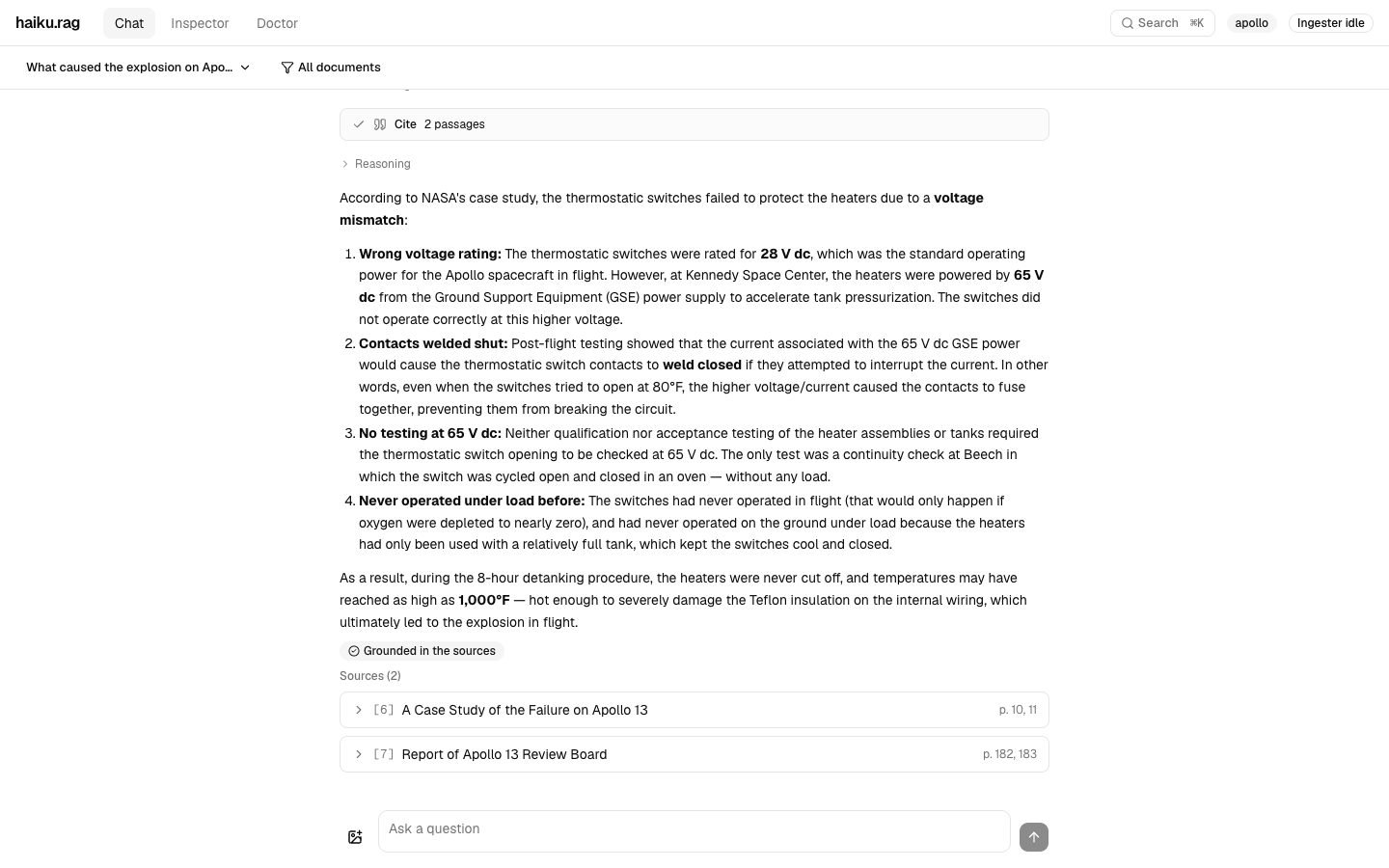
The web app is a browser interface to a haiku.rag knowledge base. In it you ask questions and check each answer against its cited passages, follow the ingester as it adds the documents you copy into a folder, inspect documents and their chunks, and run health checks.
No authentication
The app has no authentication. The Compose files publish its ports on 127.0.0.1 only. Keep them unreachable from untrusted networks.
Set it up
The app runs with Docker Compose from the app/ directory of the repository. Copy the two example files:
.env contains the API keys and two paths on your machine: DB_VOLUME for the database and DOCS_VOLUME for the documents to ingest. It also contains INGESTER_TOKEN, a secret that the frontend sends to the ingester. Both the backend and the ingester require it.
haiku.rag.yaml is a haiku.rag configuration: the models, the database and the ingester's source. The example expects Ollama with gpt-oss and qwen3-embedding:4b.
Edit both files for your paths, token and models. Then start the app and open http://localhost:3000:
Three services run: a backend that reads the database, the ingester, which writes it, and the frontend.
To work across several databases, list them under lancedb.databases (see Multiple databases), and mount each one into the backend and ingester services. Chat searches all of them, and the inspector and the doctor show one at a time. The ingester writes each database listed under ingester.databases, from the sources listed with it (see Configure sources).
Ask questions
Type a question in Chat and press Enter. Shift+Enter starts a new line, and the stop button ends an answer early. The answer streams in with the agent's steps: its searches, and any program it wrote to count or compare across documents. Below the answer, a badge says whether the answer is grounded in its sources, and the sources follow.
Open a source to read the cited passage. For a document with page images, such as a PDF, "View in document" shows the passage highlighted on its pages, scanned pages included. "Open in the inspector" opens the passage's chunk in a new tab.
To ask about particular documents, choose them with the "All documents" filter above the conversation. With a vision model (qa.model.vision: true), a question can carry images: pick, paste or drop them into the box.
The server keeps every conversation. The menu at the top left starts a new one, switches between them, renames, exports one as Markdown, and deletes.
Add documents
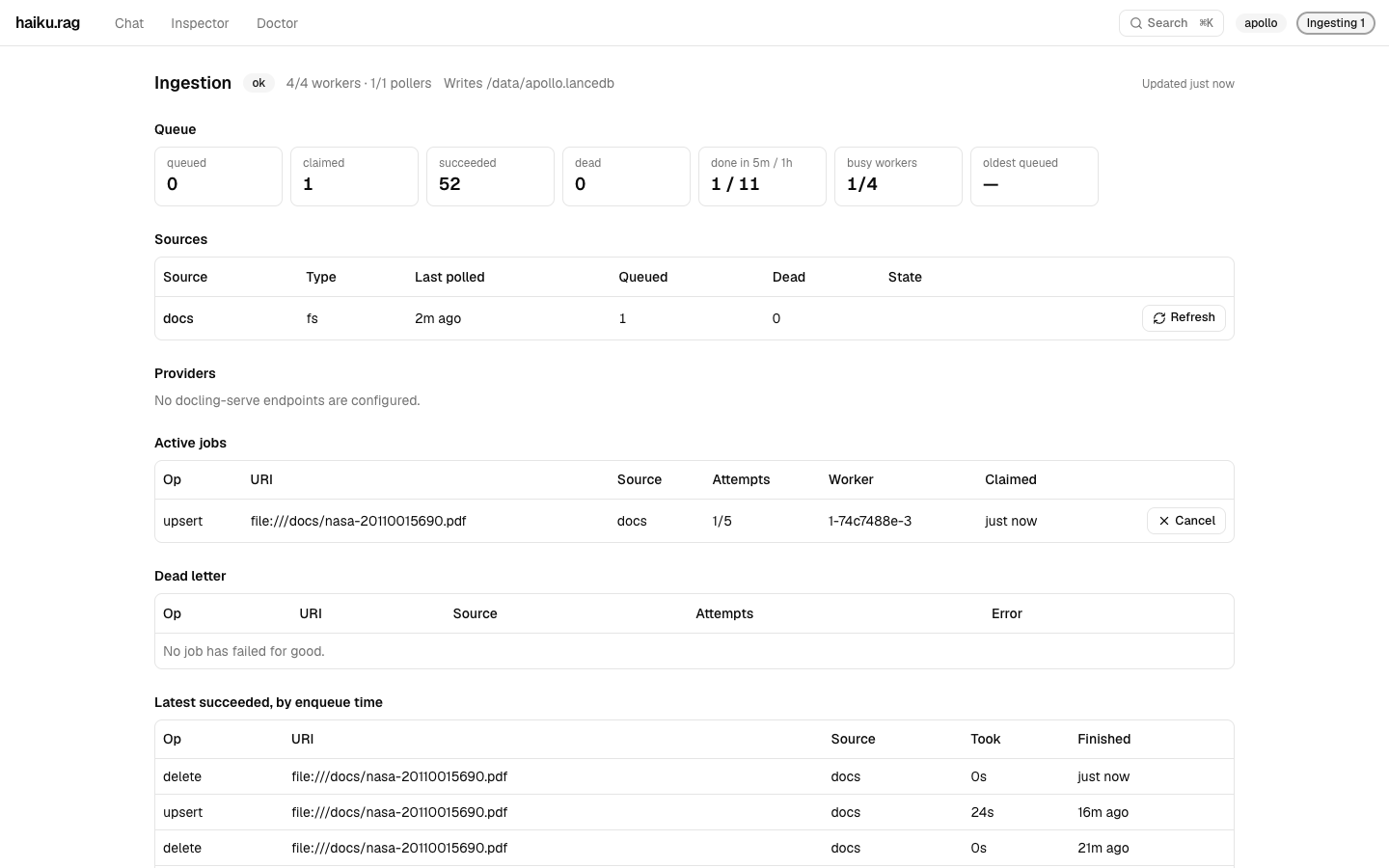
Copy files into the DOCS_VOLUME folder. The ingester converts, chunks and embeds each one. The app finds a document at most 30 seconds after the ingester finishes it, the default of lancedb.read_consistency_interval_seconds. The ingester updates a document when its file changes, and deletes it when the file is removed.
The chip at the top right shows the ingester's state: idle, ingesting, holding failed jobs, degraded, or unreachable. Click it for the ingestion page. It shows the queue, each source with any error from its last scan, the jobs running now and the ones that failed, with buttons to retry a failed job, cancel one, or rescan a source.
Inspect documents and chunks
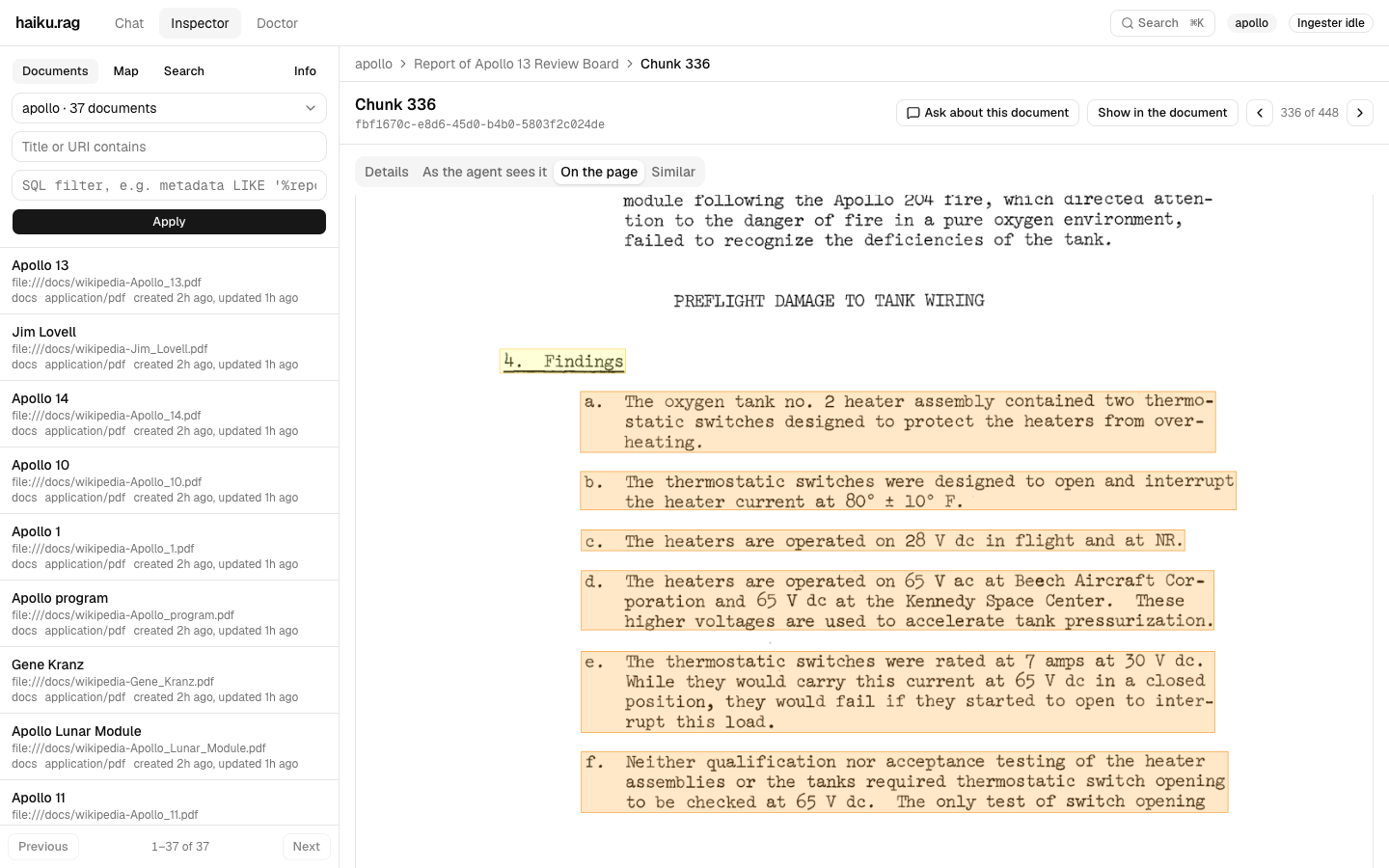
The Inspector lists the documents of a database. Open one to read its converted text, and to see its outline, chunks, pages and pictures.
The agent searches and cites chunks, short passages of a document. A chunk's page shows its text, what the agent receives when a search returns it, its place on the original page, and the most similar chunks. It is the place to look when an answer cites the wrong passage or misses one.
The Map tab places documents near others about similar things. "Compute the map" builds it, and "Compute again" refreshes it after new documents arrive. Select a document to list its nearest neighbours.
Ctrl+K, or Cmd+K on a Mac, searches from any page, by text or, with a multimodal embedder, by image. Each inspector page has its own address, so Back returns to the previous view and a link reopens the same one. "Ask about this document" starts a conversation limited to the open document.
Check its health
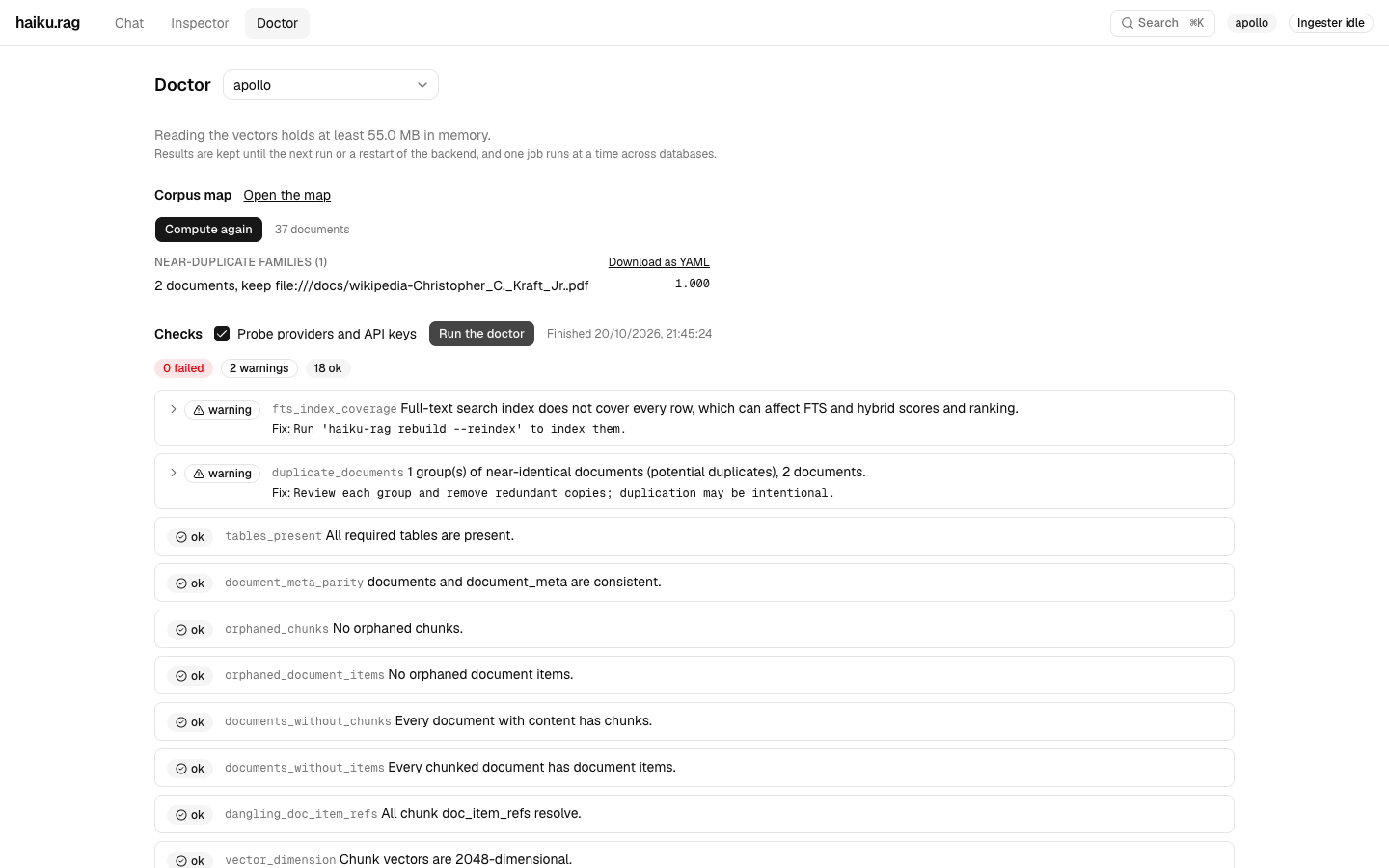
The Doctor checks one database: its tables and indexes, its embeddings against the configured embedder, the providers it calls, and documents that are near-duplicates of each other. Choose the database and press "Run the doctor". Each warning names its fix. The checks and the map run in the background. Before either starts, the page shows a lower bound on the memory for the chunk vectors, when the database's size is available.
For developers
The app's architecture, its API and its tests are described in app/README.md.